GTA PPSSPP on iOS: The Real Guide (2026)
PPSSPP is real on iPhone and iPad. It is free on the App Store, and you do not need a jailbreak or sideload to install it.
Short answer: yes, PPSSPP is on the App Store
PPSSPP was approved for the Apple App Store on 15 May 2024. It is still there today. The current version is 1.20.4, updated 19 May 2026, and it needs iOS 13.0 or later.
The app is free. There is an optional PPSSPP Gold upgrade for $3.99 inside the app, but you do not need it to play games. No games are included with the download. You must supply your own PSP game files.
How to install PPSSPP on iPhone or iPad
Installing it takes about a minute.
- Open the App Store on your iPhone or iPad.
- Search for “PPSSPP”.
- Tap Get on “PPSSPP – PSP emulator”.
That is the whole install. Before May 2024 you had to sideload PPSSPP with AltStore, and many old guides still say that. Those guides are outdated. The standard install today is a normal App Store download.
How to get games onto your iPhone
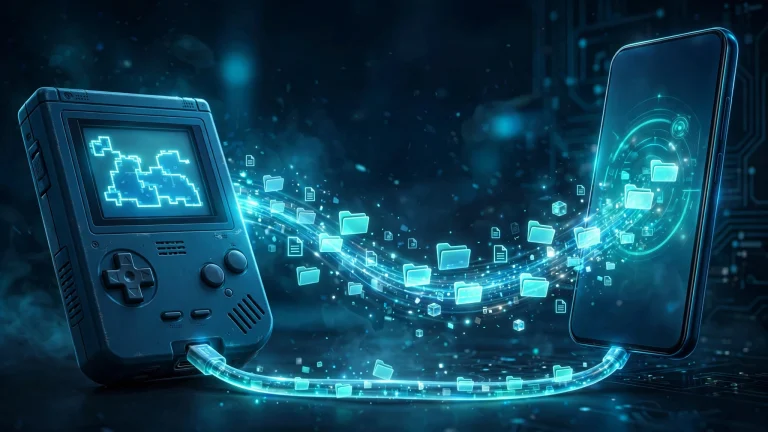
PPSSPP plays PSP game files in ISO, CSO, or CHD format. These must be files dumped from PSP games you own. PPSSPP does not include games, and it has no store to buy them from.
There are three ways to copy your game files onto your iPhone.
- Wi-Fi upload. In PPSSPP 1.20 and later, tap the Upload Files icon on the Games tab. Then send files from another device or computer on the same Wi-Fi network.
- USB with a Mac. Connect your iPhone by cable, open Finder, go to the Files tab, and drag your game files into PPSSPP.
- USB with Windows. Install the Apple Devices app, connect your iPhone, and copy your game files into PPSSPP under Files.
Do not download game files from random websites. Those files are often fake, incomplete, or bundled with malware. A real PSP game file comes from a UMD disc you own.
Which GTA games work on PPSSPP iOS
Only three GTA games were ever released for the PSP. All three are listed as Perfect in the official PPSSPP compatibility database.
- GTA Liberty City Stories (2005). The PSP original, a prequel set in Liberty City.
- GTA Vice City Stories (2006). The PSP original, a prequel set in Vice City.
- GTA Chinatown Wars (2009). Released first on Nintendo DS, then on PSP in October 2009.
These are the only GTA games you can play on PPSSPP on iOS. Do not confuse Vice City Stories with the original GTA Vice City from 2002. They are different games. Do not confuse Liberty City Stories with GTA 3. They are different games too.
Which GTA games do NOT work on PPSSPP iOS
These games were never released on the PSP, so no real PSP file exists for them. Any site or video offering them as a PPSSPP download for iPhone is lying.
- GTA 5. The official PPSSPP FAQ answers this directly: “Can PPSSPP play GTA 5? No, it can’t.” GTA 5 was never released on PSP.
- GTA 4. Released only on PC, PlayStation 3, and Xbox 360. No PSP version exists.
- GTA San Andreas (original). Released on PC, PlayStation 2, Xbox, and mobile. No PSP version exists.
- GTA Vice City (original, 2002). Released on PC, PlayStation 2, Xbox, and mobile. No PSP version exists.
The same rule applies to GTA 6. There is no GTA 6 on PSP, and no GTA 6 PPSSPP file for iPhone. Our GTA 6 guides explain what you can actually play instead.
The one big limit: no JIT on iOS
PPSSPP on iOS has one serious limitation. It cannot use a JIT compiler. A JIT turns PSP code into iPhone code while the game runs, which makes emulation much faster. Apple does not allow App Store apps to generate code at runtime, so the App Store build of PPSSPP uses a slower interpreter instead.
In practice, this matters less than it sounds. The PSP CPU is not very powerful by modern standards. PPSSPP’s own developers say modern iPhones and iPads run nearly all PSP games at full speed even without JIT. Older iPhones should use 1x rendering resolution in the settings and expect slower performance in demanding 3D games.
The only way to get JIT on iOS is a sideloaded build, not the App Store build. For most players, the App Store build is the right choice. It is simpler, safer, and fast enough.
What else does not work on iOS
A few things to know before you start.
- Camera input is missing in the current iOS build. Games that need the PSP camera will not work fully.
- Microphone input is not in the current stable build (1.20.4). PPSSPP says it is added in version 1.21.
- PPSSPP plays PSP games only. It does not play PS1, PS2, PS3, PS4, PS5, or PS Vita games in the stable build. Version 1.21 adds experimental support for PS1 games in PSP EBOOT format, but that is not a stable iOS feature yet.
- No BIOS file is needed. PPSSPP simulates the PSP system software itself.
- No PlayStation Store login. You cannot log in to the PlayStation Store from inside PPSSPP.
Controllers and save transfer
Controllers. You can pair a wireless controller with your iPhone or iPad in Bluetooth settings. Apple supports Xbox controllers and PlayStation DualSense and DualShock 4 controllers. Button customisation needs iOS 16 or later. Once paired, map the buttons inside PPSSPP under Settings, then Controls.
Save transfer. Your in-game saves live in the PSP/SAVEDATA folder on PPSSPP’s virtual memory stick. You can copy a save folder from PPSSPP on Android or PC to PPSSPP on iPhone using the same USB or Wi-Fi methods above. Match the game ID and region, and copy the whole folder for that game.
Do not rely on save states for moving between devices. Save states are emulator snapshots. They are fragile across versions and devices. In-game saves are the safe way to transfer progress.
Fake GTA PPSSPP downloads for iPhone to avoid
Watch out for these.
- A website offering a “GTA 5 PPSSPP ISO for iOS” download. GTA 5 was never on PSP, so the file is fake.
- A “GTA San Andreas PPSSPP iOS” file. The original San Andreas was never on PSP.
- An app that asks you to install a profile, complete surveys, or pay before downloading a GTA game. PPSSPP itself is free on the App Store, and real PSP game files do not come from survey sites.
- A video showing GTA 5 or GTA San Andreas gameplay on an iPhone and calling it PPSSPP. That footage is from another version of the game, not PPSSPP.
The only real PPSSPP app is the one on the App Store, published by Millionth Line AB. If an install asks for anything else, stop.
If you are in Pakistan, the legal way to play GTA in Pakistan starts with the official stores, not random download sites.
FAQ
Is GTA PPSSPP on iOS real?
Yes. PPSSPP is a real, free app on the Apple App Store since 15 May 2024. It plays real PSP games, including the three PSP GTA games.
Is PPSSPP on iOS free?
Yes. The download is free. An optional PPSSPP Gold upgrade costs $3.99 inside the app, but you do not need it to play.
Do I need a jailbreak or AltStore to install PPSSPP on iPhone?
No. Not anymore. Since 15 May 2024 you install it from the App Store like any normal app. Old guides that say AltStore is required are outdated.
Which GTA games work on PPSSPP iOS?
Three: GTA Liberty City Stories, GTA Vice City Stories, and GTA Chinatown Wars. All three are real PSP games and all three run well on PPSSPP.
Can I play GTA 5 on PPSSPP iOS?
No. GTA 5 was never released on PSP. PPSSPP cannot play it, and any file claiming to be GTA 5 for PPSSPP is fake.
Why is PPSSPP slower on iOS than on Android?
Apple does not allow App Store apps to use a JIT compiler, so PPSSPP on iOS uses a slower interpreter. Modern iPhones are still fast enough to run nearly all PSP games at full speed.
Can I use a PS5 or Xbox controller with PPSSPP on iPhone?
Yes. Pair the controller in your iPhone Bluetooth settings, then map the buttons in PPSSPP under Settings, then Controls.
Can I transfer my PPSSPP saves from Android to iPhone?
Yes, using in-game saves. Copy the game’s folder from PSP/SAVEDATA to the iPhone with USB or Wi-Fi upload. Do not rely on save states for transfers.